How to Create a QR Code for Free in 2026 — Complete Guide
Learn how to create custom QR codes for free using QR Builder. Step-by-step guide covering URLs, WiFi, vCards, and more with full customization options.
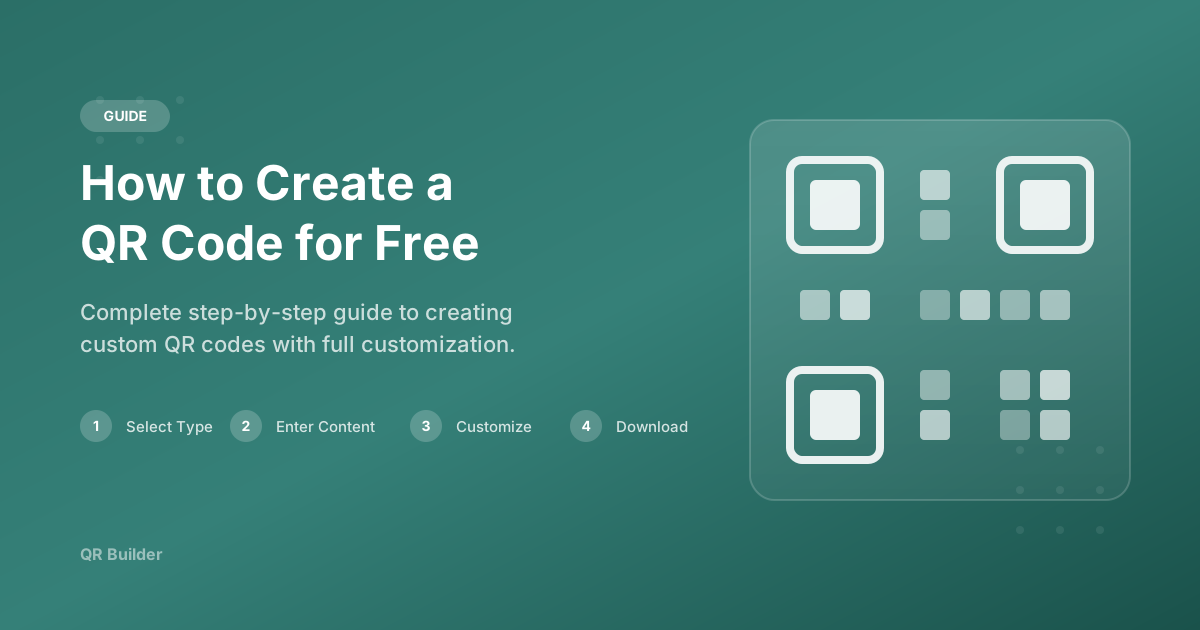
Creating a QR code has never been easier. With QR Builder, you can generate professional QR codes in seconds — completely free and without creating an account. This comprehensive guide walks you through every step, from choosing the right QR code type to customizing the design and downloading a print-ready file.
What is a QR Code?
A QR (Quick Response) code is a two-dimensional barcode that stores information in a matrix of black and white squares. Originally invented in 1994 by Denso Wave, a subsidiary of Toyota, QR codes were designed to track vehicle parts during manufacturing. Today, they have become one of the most widely used digital tools in the world, connecting the physical and digital worlds with a simple scan.
When you point your smartphone camera at a QR code, the device reads the encoded data and performs the corresponding action — opening a website, displaying text, connecting to a WiFi network, saving a contact, composing an email, initiating a phone call, preparing an SMS, or navigating to a geographic location.
Unlike traditional one-dimensional barcodes that store data in horizontal lines, QR codes store data in both horizontal and vertical dimensions. This means they can hold significantly more information — up to 4,296 alphanumeric characters — while remaining compact enough to fit on a business card or product label.
The 8 Types of QR Codes You Can Create
Before creating your QR code, it helps to understand which type best fits your needs. QR Builder supports eight distinct types, each optimized for a specific kind of data:
URL QR Codes
The most common type. Encodes a website address that opens automatically when scanned. Perfect for linking to your homepage, a product page, a landing page, a social media profile, or any web resource. The URL is encoded directly into the QR pattern, so no internet connection is needed for the QR code itself — only for loading the website.
Plain Text QR Codes
Displays a text message when scanned. The text appears directly on the user's screen without needing an internet connection. Use this for short messages, instructions, serial numbers, reference codes, or any information that should be instantly readable.
WiFi QR Codes
Encodes your WiFi network name (SSID), password, and encryption type. When a guest scans this code, their device automatically prompts them to join the network — no need to type a long password. This is extremely popular in restaurants, hotels, co-working spaces, and homes.
vCard QR Codes
Creates a digital business card. When scanned, the user's phone prompts them to save the contact with all fields pre-filled — name, phone, email, company, job title, website, and address. This eliminates manual data entry and ensures your contact information is saved accurately.
Email QR Codes
Pre-composes an email with a specified recipient address, subject line, and body text. When scanned, the user's email app opens with the message ready to send. This is useful for feedback forms, support requests, RSVP confirmations, and event registrations.
Phone QR Codes
Encodes a phone number. When scanned, the user's phone prompts them to call the number. This is ideal for business cards, customer support signage, and emergency contact information where you want to remove friction from the calling process.
SMS QR Codes
Pre-composes a text message with a specified phone number and message body. When scanned, the messaging app opens with the SMS ready to send. Marketers use this for opt-in campaigns, and businesses use it for quick text-based interactions.
Location QR Codes
Encodes geographic coordinates (latitude and longitude). When scanned, the user's maps application opens with the location pinpointed. This is perfect for event venues, office locations, property listings, and meeting points where you need to share an exact position.
Step-by-Step: Creating Your First QR Code
Step 1: Choose Your QR Code Type
On the QR Builder homepage, you will see the type selector at the top of the generator. Click on the type that matches your content. Each type has dedicated input fields that are optimized for that specific data format, so you only see the fields that are relevant to your chosen type.
Step 2: Enter Your Content
Fill in the required fields for your chosen QR type. For a URL QR code, simply paste your website link. For WiFi, enter your network name, password, and encryption type. For vCard, fill in as many contact fields as you want to include. The generator validates your input in real time and shows any errors immediately.
Step 3: Customize the Design
This is where QR Builder stands out. You can customize every visual aspect of your QR code:
- Foreground Color: Change the color of the data modules (the squares that make up the pattern). Dark colors on light backgrounds work best for scannability.
- Background Color: Set the background color behind the modules. White is the standard, but you can use any light color that maintains sufficient contrast.
- Dot Shape: Choose from six distinct shapes — square (classic), rounded, dots, classy, classy-rounded, and extra-rounded. Each gives your QR code a different visual personality.
- Corner Square Shape: Customize the three large squares in the corners of the QR code. Options include square, dot, and extra-rounded.
- Corner Dot Shape: Customize the inner dots within the corner squares. Choose between square and dot.
- Size: Select your output resolution from 256px (digital thumbnails) to 4096px (large format printing).
As you make changes, the live preview updates in real time so you can see exactly how your QR code will look before downloading.
Step 4: Download Your QR Code
Choose your preferred format — PNG for most uses, or SVG for vector graphics that scale to any size without losing quality. Click the Download button, and your QR code is saved to your device immediately. There is no account creation, no email verification, and no waiting.
Best Practices for Creating Effective QR Codes
1. Always Test Before Printing
This is the single most important rule. Before you print 1,000 flyers or apply labels to your products, scan the QR code with at least two different devices (one iPhone, one Android). Verify that it resolves to the correct destination and that the page loads properly on mobile.
2. Maintain High Contrast
QR code scanners work by detecting the contrast between light and dark areas. The greater the contrast, the faster and more reliably the code scans. Dark foreground on light background is the standard for a reason — it works. If you want to use brand colors, make sure the brightness difference between foreground and background is at least 40%.
3. Use High Error Correction
QR Builder uses Level H error correction by default, which means your code can still be scanned even if up to 30% of it is damaged, obscured, or covered. This is the highest level available and is especially important for printed codes that may experience wear and tear.
4. Size Appropriately for the Scanning Distance
A QR code on a business card (scanned at arm's length) can be as small as 2cm x 2cm. A code on a poster (scanned from 1-2 meters away) should be at least 10cm x 10cm. The general rule is that the QR code should be at least 1/10th of the expected scanning distance.
5. Include a Call-to-Action
A QR code by itself does not tell people what to do. Always include a short instruction near the code, such as "Scan to visit our menu", "Scan for WiFi", or "Scan to save contact". This simple addition can increase scan rates significantly.
6. Do Not Place QR Codes on Curved Surfaces Without Testing
QR codes rely on precise geometry. If you place a code on a bottle, tube, or other curved surface, the curvature can distort the pattern and make it harder to scan. Always test on the actual surface before committing to production.
7. Leave Adequate White Space
The quiet zone — the blank margin around a QR code — is essential for scanners to identify where the code begins and ends. QR Builder includes this margin automatically, but be careful not to crop it when integrating the code into your design.
Why QR Codes Are More Popular Than Ever
The global adoption of QR codes accelerated dramatically during and after 2020. Contactless interactions became the norm in restaurants, retail, healthcare, and public services. Today, QR codes are embedded in daily life — from paying for coffee to checking into flights.
Smartphone cameras now include built-in QR code readers, eliminating the need for third-party scanning apps. This means that virtually every modern smartphone can scan a QR code instantly, making them one of the most accessible digital tools available.
For businesses, QR codes offer a cost-effective bridge between physical and digital experiences. A printed sign, a product package, or a business card becomes a gateway to rich digital content — all through a pattern that costs nothing to create and is universally scannable.
Why Use QR Builder?
QR Builder is completely free with no hidden costs or sign-up requirements. Every QR code you create is production-ready with high error correction, ensuring reliable scanning across all devices and conditions. The real-time preview, extensive customization options, and instant download make it one of the fastest and most flexible QR code generators available online.
Ready to Create Your QR Code?
Start generating free, customizable QR codes in seconds. No sign-up required.
Create QR Code Free