Bulk QR Code Generator — How to Create Hundreds of QR Codes at Once
Complete guide to bulk QR code generation. Learn how to create hundreds of unique QR codes from CSV data for inventory, events, marketing, and more.
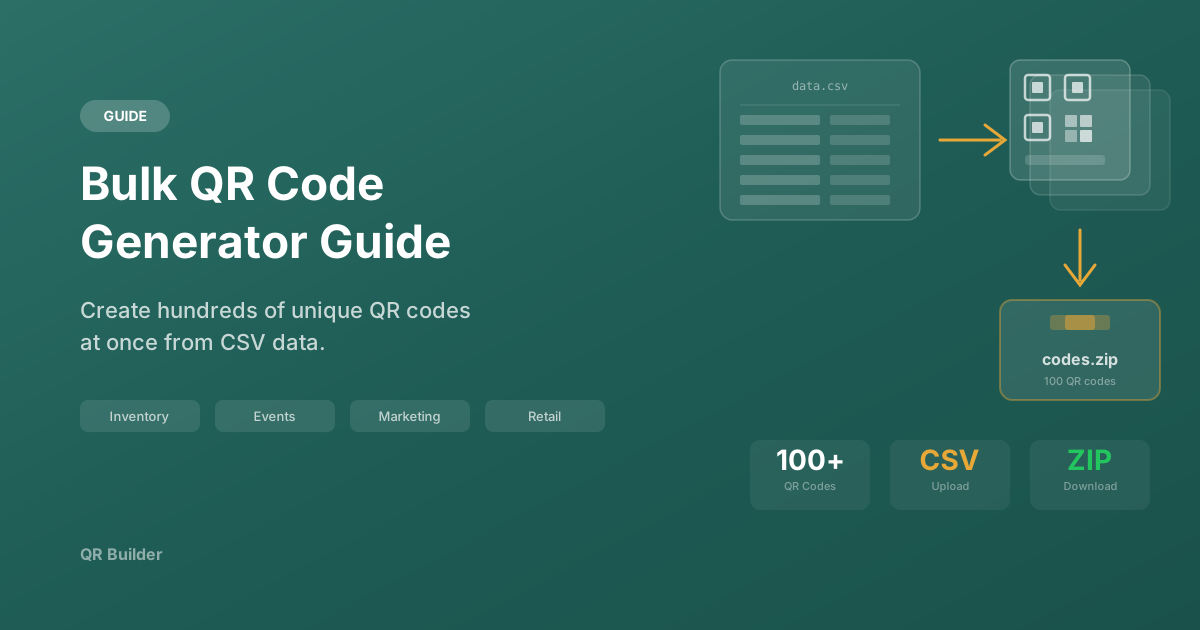
Need to create hundreds of QR codes quickly? Bulk QR code generation saves hours of manual work and ensures consistency across all your codes. This guide covers the complete process — from preparing your data to generating, organizing, and deploying QR codes at scale.
When You Need Bulk QR Codes
Bulk generation is not about convenience — it is about necessity. When you need more than a handful of QR codes with unique content, creating them one at a time is not just slow; it introduces inconsistency and errors. Here are the most common scenarios where bulk generation is essential.
Inventory and Asset Management
Every item in a warehouse, office, or retail environment needs a unique identifier. QR codes on inventory tags link directly to the item's record in your management system, showing stock levels, location history, condition, purchase date, and maintenance schedule. For a warehouse with 10,000 SKUs, manual QR code creation is simply not feasible.
Event Ticketing
Each attendee gets a unique QR code that serves as their ticket. At entry, staff scan the code to validate the ticket instantly. This prevents duplication (the same code cannot be used twice), speeds up check-in lines, and provides real-time attendance data. For an event with 500 attendees, you need 500 unique QR codes — all generated from a registration database.
Personalized Marketing
Direct mail campaigns that include a unique QR code for each recipient can track engagement at the individual level. When Mary Smith scans her unique code, you know that she engaged with the campaign, and you can personalize her landing page experience. For a mailing list of 5,000 contacts, each with a unique tracking URL, bulk generation is the only practical approach.
Product Authentication
Manufacturers use unique QR codes on each unit of product to enable customers to verify authenticity. When a customer scans the code on their purchase, they can confirm it is a genuine product and not a counterfeit. Each code links to a verification page with the product's serial number, manufacture date, and batch information.
Equipment and Asset Labels
Organizations label computers, monitors, furniture, vehicles, and other assets with QR codes for tracking. When IT scans a laptop's QR code, they instantly see its specifications, assigned user, warranty status, and service history. Generating these labels in bulk from an asset management system export is standard practice.
Real Estate
Real estate agencies create unique QR codes for each property listing. Placed on yard signs, flyers, and window displays, each code links to the specific property's detail page with photos, virtual tours, price, and agent contact information.
Preparing Your Data
The quality of your output depends entirely on the quality of your input. Taking time to prepare and validate your data before generating is far more efficient than fixing problems afterward.
CSV File Structure
The standard format for bulk QR code input is CSV (Comma-Separated Values). At minimum, your CSV needs a content column. For full control, include columns for type, filename, and any metadata.
Recommended CSV columns:
- content (required): The data to encode — a URL, text string, phone number, etc.
- type (recommended): The QR code type — url, text, wifi, vcard, email, phone, sms, geo
- filename (recommended): The desired output filename (without extension)
- label (optional): A human-readable label for your reference
Example CSV:
content,type,filename,label
https://shop.com/products/SKU-001,url,sku-001,Blue Widget
https://shop.com/products/SKU-002,url,sku-002,Red Widget
https://shop.com/products/SKU-003,url,sku-003,Green Widget
tel:+15551234567,phone,support,Support Line
WIFI:T:WPA;S:OfficeNet;P:securepass123;;,wifi,office-wifi,Office WiFi
Data Validation Checklist
Before feeding your CSV into a bulk generator, run through this checklist:
URL Validation:
- Every URL starts with https:// or http://
- No URLs contain spaces or special characters that need encoding
- All URLs resolve to a live page (run a link checker)
- No URLs exceed 2,000 characters (the practical limit for reliable QR scanning)
Format Consistency:
- All entries in the type column use the correct values (url, text, wifi, etc.)
- Phone numbers include country codes
- WiFi entries use the correct format: WIFI:T:WPA;S:NetworkName;P:Password;;
Filename Validation:
- No duplicate filenames
- Filenames contain only alphanumeric characters, hyphens, and underscores
- No filenames contain spaces or special characters
- Filenames are descriptive enough to identify the corresponding QR code
Data Quality:
- No duplicate content entries (unless intentional)
- No empty rows or columns
- No trailing commas or inconsistent column counts
- File is saved as UTF-8 encoding (important for special characters)
Methods for Bulk QR Code Generation
Method 1: REST API (Programmatic)
For developers, the most flexible approach is using QR Builder's REST API. You write a script that reads your CSV, sends a generation request for each row, and saves the resulting QR code image.
Advantages:
- Full control over the generation process
- Can be integrated into existing workflows and CI/CD pipelines
- Supports all customization options per code
- Can handle error recovery and retry logic
Basic workflow:
- Read and parse the CSV file
- For each row, send a POST request to the QR generation API
- Save the returned image with the specified filename
- Log any errors for review
Rate limit considerations:
The QR Builder API allows 30 requests per minute for general use. For a batch of 100 codes, this means the process takes approximately 3-4 minutes. For larger batches, implement rate limiting in your script with appropriate delays between requests.
Method 2: Browser-Based CSV Upload (Coming Soon)
QR Builder is developing a browser-based bulk tool that will allow you to:
- Upload a CSV file directly in the browser
- Preview all entries before generating
- Apply a consistent design across all codes
- Download all generated codes as a ZIP file
This method will not require any programming knowledge and will be the simplest way to create bulk QR codes.
Method 3: Spreadsheet Automation
For non-technical users with moderate Excel or Google Sheets skills, you can use spreadsheet formulas to generate QR code URLs and download them using a browser extension or simple script. This is a middle ground between fully manual and fully automated approaches.
Applying Consistent Design
When generating QR codes in bulk, visual consistency is crucial. All codes in a batch should share the same:
- Colors: Same foreground and background colors
- Dot shape: Same module style (square, rounded, dots, etc.)
- Corner style: Same finder pattern design
- Size: Same pixel dimensions
- Error correction: Same level (Level H recommended)
This consistency creates a professional, cohesive appearance when codes are deployed together — whether on product packaging, event badges, or marketing materials.
When using the API, set your design parameters once and pass them to every request. When using the upcoming CSV tool, you will select a template that applies to the entire batch.
Post-Generation Workflow
Organizing Your Output
After generating your QR codes, organize them systematically:
- Create a master index: Maintain a spreadsheet mapping each filename to its encoded content, intended deployment location, and generation date
- Folder structure: Organize files into folders by category, deployment date, or location
- Backup: Keep a backup of all generated files and your source CSV — regenerating hundreds of codes from scratch wastes time and risks inconsistency
Quality Assurance
Before deploying your bulk QR codes:
- Spot check 10%: Randomly scan at least 10% of the generated codes to verify they encode the correct content
- Verify first and last: Always check the first and last codes in the batch to ensure no data was truncated
- Cross-reference: Compare a sample of codes against your CSV to verify the filename-to-content mapping is correct
- Test on print material: If codes will be printed, print a test sheet and scan under the expected conditions
Printing Considerations
- Resolution: For print, export at 1024px minimum. For large format, use SVG
- Color mode: Ensure your printer supports the QR code colors. Some office printers render dark blues as near-black, which may differ from your design intent
- Bleed and margins: When printing labels, account for bleed areas and ensure the QR code's quiet zone is not in the bleed
- Material: Matte materials generally produce better scanning results than glossy materials (less glare)
Troubleshooting Common Bulk Generation Issues
Problem: Some codes fail to generate
- Check the failed entries for invalid data (broken URLs, malformed WiFi strings)
- Verify no content exceeds the QR code character limit (4,296 characters)
- Check for encoding issues with special characters
Problem: Generated codes do not scan
- Verify the content is valid (test the URLs in a browser)
- Check that contrast between foreground and background colors is sufficient
- Ensure the export size is adequate for the intended print size
Problem: Filenames are garbled
- Ensure your CSV is saved with UTF-8 encoding
- Remove special characters from the filename column
- Check for invisible characters (common when exporting from Excel)
Best Practices Summary
- Start small: Generate a test batch of 5-10 codes before running the full batch
- Validate data first: Spend time on data quality before generation — fixing errors afterward is much more costly
- Use descriptive filenames: You will thank yourself when managing hundreds of files
- Keep URLs short: Shorter content creates simpler, more reliable QR patterns
- Maintain a master index: Never deploy codes without a record of what each one contains
- Spot check quality: Scan a random sample after every batch
- Plan for updates: If content may change, consider using redirect URLs so you can update destinations without regenerating codes
- Back up everything: Keep your source CSV and all generated files in a backed-up location
Ready to Create Your QR Code?
Start generating free, customizable QR codes in seconds. No sign-up required.
Create QR Code Free